# CSPR.market

CSPR.market is an NFT marketplace built on the public Casper blockchain.


# Selling your NFT

### Listing your NFT

1. Navigate to your NFT that you want to sell and click **List for sale**

![](https://2814002122-files.gitbook.io/~/files/v0/b/gitbook-x-prod.appspot.com/o/spaces%2FihfXITZHWVaNq1RoomFA%2Fuploads%2FS04nLR0HaBgjWvJvWLKV%2Fimage.png?alt=media\&token=402fb6fa-2fba-45aa-ae5d-733cfa3603b1)

2. In the popup that appears, tap Approve & sign the transaction so that the market contract is given it the right to transfer the NFT (no transfer will take place unless the item is sold).

![](https://2814002122-files.gitbook.io/~/files/v0/b/gitbook-x-prod.appspot.com/o/spaces%2FihfXITZHWVaNq1RoomFA%2Fuploads%2F3CJhQsK4wrR6XWSBe29F%2Fimage.png?alt=media\&token=1eaad138-68c8-4ea3-bef7-b6a4e7bb5927)

3. Once the approval transaction finishes enter the listing price to confirm the listing & sign the transaction.

![](https://2814002122-files.gitbook.io/~/files/v0/b/gitbook-x-prod.appspot.com/o/spaces%2FihfXITZHWVaNq1RoomFA%2Fuploads%2Fc9SwAGrrbofhSRrUEHFs%2Fimage.png?alt=media\&token=cf84ec90-cdeb-455f-b355-155c2ac16137)

4. If the listing is successful you will see a confirmation screen

![](https://2814002122-files.gitbook.io/~/files/v0/b/gitbook-x-prod.appspot.com/o/spaces%2FihfXITZHWVaNq1RoomFA%2Fuploads%2F1uS2JW0esktOl7DkjPSP%2Fimage.png?alt=media\&token=27f78316-e246-4729-a830-2b00a34c9a78)

### Accepting an offer

1. Navigate to your NFT that you want to accept an existing offer on.
2. Scroll to the Offers section and tap Accept Offer on the offer you want to accept.

![](https://2814002122-files.gitbook.io/~/files/v0/b/gitbook-x-prod.appspot.com/o/spaces%2FihfXITZHWVaNq1RoomFA%2Fuploads%2FOnBO0pEmjq7K8wdqeFC3%2Fimage.png?alt=media\&token=df914bb0-611a-46b5-8f9a-53b3e60c88c7)

3. If the marketplace does not yet have approval to transfer the NFT then you may need to approve it (this step will be skipped if you've already approved).

![](https://2814002122-files.gitbook.io/~/files/v0/b/gitbook-x-prod.appspot.com/o/spaces%2FihfXITZHWVaNq1RoomFA%2Fuploads%2F1XdG9Kt1t1GEEDG4o9Au%2Fimage.png?alt=media\&token=a0766938-5298-4d89-8f04-233482857c80)

4. Once approved, tap accept offer & sign the transaction

![](https://2814002122-files.gitbook.io/~/files/v0/b/gitbook-x-prod.appspot.com/o/spaces%2FihfXITZHWVaNq1RoomFA%2Fuploads%2FB2Gcfls9ncapLCMgixmU%2Fimage.png?alt=media\&token=da5d8b44-95f4-4540-aed9-c932552acca6)

5. If the transaction is successful then you will see a confirmation

![](https://2814002122-files.gitbook.io/~/files/v0/b/gitbook-x-prod.appspot.com/o/spaces%2FihfXITZHWVaNq1RoomFA%2Fuploads%2FuybhPvICuqHnTgLxQIGT%2Fimage.png?alt=media\&token=c967f50f-2cc9-40bb-bbd9-83c1e2e19f7d)


# Buying an NFT

### Buy a listed NFT

1. Navigate to the NFT you'd like to purchase & tap the Buy button.

![](https://2814002122-files.gitbook.io/~/files/v0/b/gitbook-x-prod.appspot.com/o/spaces%2FihfXITZHWVaNq1RoomFA%2Fuploads%2FdWwb4sSsGPd9HNbWL8YD%2Fimage.png?alt=media\&token=289e2e6e-5c79-4e08-8637-c3fd7922e3d4)

2. In the popup that appears tap the Buy button to confirm the price & sign the transaction.

![](https://2814002122-files.gitbook.io/~/files/v0/b/gitbook-x-prod.appspot.com/o/spaces%2FihfXITZHWVaNq1RoomFA%2Fuploads%2FKt8x7BeG2dRyp80gGXCN%2Fimage.png?alt=media\&token=479c07eb-8197-4045-9af4-636ed037a122)

3. If the transaction is successful you'll see a confirmation.

![](https://2814002122-files.gitbook.io/~/files/v0/b/gitbook-x-prod.appspot.com/o/spaces%2FihfXITZHWVaNq1RoomFA%2Fuploads%2FfvUkyMhpJI5wRPfAVySL%2Fimage.png?alt=media\&token=d72730a2-1a29-47cf-a571-ddace1cf655a)

4. The NFT should now be in your wallet.

### Make an Offer

1. Navigate to the NFT you'd like to purchase & tap the Make Offer button.

![](https://2814002122-files.gitbook.io/~/files/v0/b/gitbook-x-prod.appspot.com/o/spaces%2FihfXITZHWVaNq1RoomFA%2Fuploads%2FKINz3mgapJa3rVO3sRYk%2Fimage.png?alt=media\&token=5b712d69-5e4c-40dd-a7f8-2c2d4167fb6e)

2. In the popup that appears enter the price you want to offer, tap Place offer & sign the transaction.

![](https://2814002122-files.gitbook.io/~/files/v0/b/gitbook-x-prod.appspot.com/o/spaces%2FihfXITZHWVaNq1RoomFA%2Fuploads%2FhT0nGkR4zUxKBZaZ0wwG%2Fimage.png?alt=media\&token=b4e81997-c4b7-4c3d-bc36-b729e71b1878)

2. If the transaction is successful you will see a confirmation.

![](https://2814002122-files.gitbook.io/~/files/v0/b/gitbook-x-prod.appspot.com/o/spaces%2FihfXITZHWVaNq1RoomFA%2Fuploads%2FVkcR3kCveroCapychUTe%2Fimage.png?alt=media\&token=0b1504c2-11d1-4f8b-8fd4-29da553cc352)


# Create your collection

You can create your own NFT collection using CSPR.studio & then publish it to CSPR.market.

Note: collections created outside of CSPR.studio can be published to CSPR.market by registering on CSPR.studio. See [Publishing a collection](/publishing-an-existing-collection) for more details.

## Creating an NFT collection

To create a new NFT collection you can use CSPR.studio.

1. Navigate to [CSPR.studio](https://testnet.cspr.studio/)
2. Tap on **My Collections**

![](https://2814002122-files.gitbook.io/~/files/v0/b/gitbook-x-prod.appspot.com/o/spaces%2FihfXITZHWVaNq1RoomFA%2Fuploads%2FnRLUkqb4HZqoBLlUwROc%2Fimage.png?alt=media\&token=44f2cc49-7050-4544-9061-0acab1c6a597)

3. Enter your collection details, confirm the details & sign the transaction to create the contract.

![](https://2814002122-files.gitbook.io/~/files/v0/b/gitbook-x-prod.appspot.com/o/spaces%2FihfXITZHWVaNq1RoomFA%2Fuploads%2F3pFF750IuVaY4hWWXjf5%2Fimage.png?alt=media\&token=c779bb2b-a4ad-4f34-81a6-078f907bb8ac)

4. Once the contract is created you can start minting NFTs on it.

   Note: it may take 2-3 minutes until the contract is ready for minting.

## Customize your collection

1. If you've just created the collection you can tap on the Customize collection button:

![](https://2814002122-files.gitbook.io/~/files/v0/b/gitbook-x-prod.appspot.com/o/spaces%2FihfXITZHWVaNq1RoomFA%2Fuploads%2FdDmdxCdOn9mNHEaTruGK%2Fimage.png?alt=media\&token=e739ff4f-ad8d-4a94-8a17-25a0f151d799)

2. Next tap on Edit cover

![](https://2814002122-files.gitbook.io/~/files/v0/b/gitbook-x-prod.appspot.com/o/spaces%2FihfXITZHWVaNq1RoomFA%2Fuploads%2FwA6qqimtT1MwdZkiVGRA%2Fimage.png?alt=media\&token=5a7a4263-034e-4d3a-a84c-353868a5ee10)

3. Now you can customize how your collection will appear on CSPR.market

![](https://2814002122-files.gitbook.io/~/files/v0/b/gitbook-x-prod.appspot.com/o/spaces%2FihfXITZHWVaNq1RoomFA%2Fuploads%2FI12ymzMc31V1ic1HZALQ%2Fimage.png?alt=media\&token=3acb6dbc-fda7-47c4-90f5-44d8dc751ad4)

**The recommended image sizes for your collection profile are:**\
\- Collection logo: 500x500\
\- Featured image: 600 x 340\
\- Banner image: 1320x360

## Publishing your new collection

1. On CSPR.studio navigate to the collection you wish to pubish on CSPR.market.
2. Tap on Publish on CSPR.market.

   Note: it may take 2-3 minutes after you've created your collection before you can publish.

![](https://2814002122-files.gitbook.io/~/files/v0/b/gitbook-x-prod.appspot.com/o/spaces%2FihfXITZHWVaNq1RoomFA%2Fuploads%2FvLgSgLnesrnbQrDXgGMD%2Fimage.png?alt=media\&token=8f725ecd-5df6-421a-a3f0-01362feed37f)

3. Review and confirm the related transaction.


# Publishing an existing collection

### Publishing through CSPR.studio

If your NFT collection was created outside of CSPR.studio you can still use it to publish your collection to CSPR.market.

Note: You can also create a new collection on CSPR.studio, see details [here](/create-your-collection#creating-an-nft-collection).

### First register your existing collection

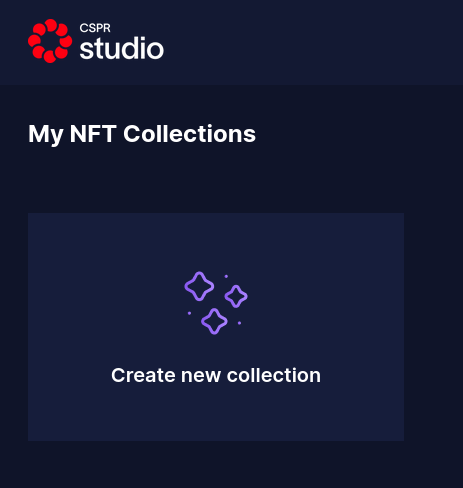
* Navigate to [CSPR.studio](https://cspr.studio) > [My Collections](https://cspr.studio/collections)
* Click [Create new collection](https://cspr.studio/new-collection)

<figure><img src="https://2814002122-files.gitbook.io/~/files/v0/b/gitbook-x-prod.appspot.com/o/spaces%2FihfXITZHWVaNq1RoomFA%2Fuploads%2FQSUirJT2kAHDX3iunNHw%2Fcspr-studio-create-new-collection.png?alt=media&amp;token=4ee2a7f5-d669-456a-ba18-b2aa284519d9" alt=""><figcaption></figcaption></figure>

* On the "Create a new NFT Collection" page, click [Register an existing collection](https://casper-nft-studio.stg.make.services/register-collection) on top right

<figure><img src="https://2814002122-files.gitbook.io/~/files/v0/b/gitbook-x-prod.appspot.com/o/spaces%2FihfXITZHWVaNq1RoomFA%2Fuploads%2F9kh5epy39l2iiJHBhMh9%2Fcspr-studio-register-a-collection.png?alt=media&amp;token=82257f6c-410b-4db6-a600-f157b14019a5" alt=""><figcaption></figcaption></figure>

* Provide your collection details

<figure><img src="https://2814002122-files.gitbook.io/~/files/v0/b/gitbook-x-prod.appspot.com/o/spaces%2FihfXITZHWVaNq1RoomFA%2Fuploads%2FoIRgUcW9sJCCOYPeEgXo%2Fcspr-studio-register-collection-details.png?alt=media&amp;token=9a140b33-73ef-472d-b5f4-a1b5f078baa6" alt=""><figcaption></figcaption></figure>

* Once you have submitted the collection details, if everything is correct then you should see a success message

<figure><img src="https://2814002122-files.gitbook.io/~/files/v0/b/gitbook-x-prod.appspot.com/o/spaces%2FihfXITZHWVaNq1RoomFA%2Fuploads%2FHyG84jIyfVyE3fsgqEzW%2Fstudio-success.png?alt=media&amp;token=e92d92ea-0592-4bb8-984a-48c2c41602fe" alt=""><figcaption></figcaption></figure>

* Add collection assets by following the details in [customizing your collection](https://docs.cspr.market/create-your-collection#customize-your-collection).
* Then to publish on CSPR.market, follow the steps in [publishing your collection](https://docs.cspr.market/create-your-collection#publishing-your-new-collection).<br>


# FAQs

### How do I report inappropriate or suspected fraudulent content?

Tap the report button ![](https://2814002122-files.gitbook.io/~/files/v0/b/gitbook-x-prod.appspot.com/o/spaces%2FihfXITZHWVaNq1RoomFA%2Fuploads%2F8l6NHxYQBnTfYnn20MUI%2FReport.png?alt=media\&token=d71090ad-eb1f-4083-9b23-74ea30e94fbb) and follow the instructions to report it.